Reviving three end-of-life UniFi access points with OpenWrt and OpenWISP
Three first-gen UniFi APs, last patched in 2021, now run OpenWrt 25.12 under a self-hosted OpenWISP: central config, monitoring, roaming, no licence.
Also available in: Nederlands · Română
The house in Romania runs on three first-generation UniFi access points: a UAP, a UAP-Pro and a UAP-Outdoor+. The hardware is fine, but Ubiquiti stopped at firmware 4.3.28.11361 in February 2021 and declared them end-of-life a month later. The last controller that still adopts them is 6.0.45, which is itself years old. That leaves the usual choice for old gear that still works: landfill, or a current operating system. I flashed all three to OpenWrt 25.12 and put them under one self-hosted OpenWISP.
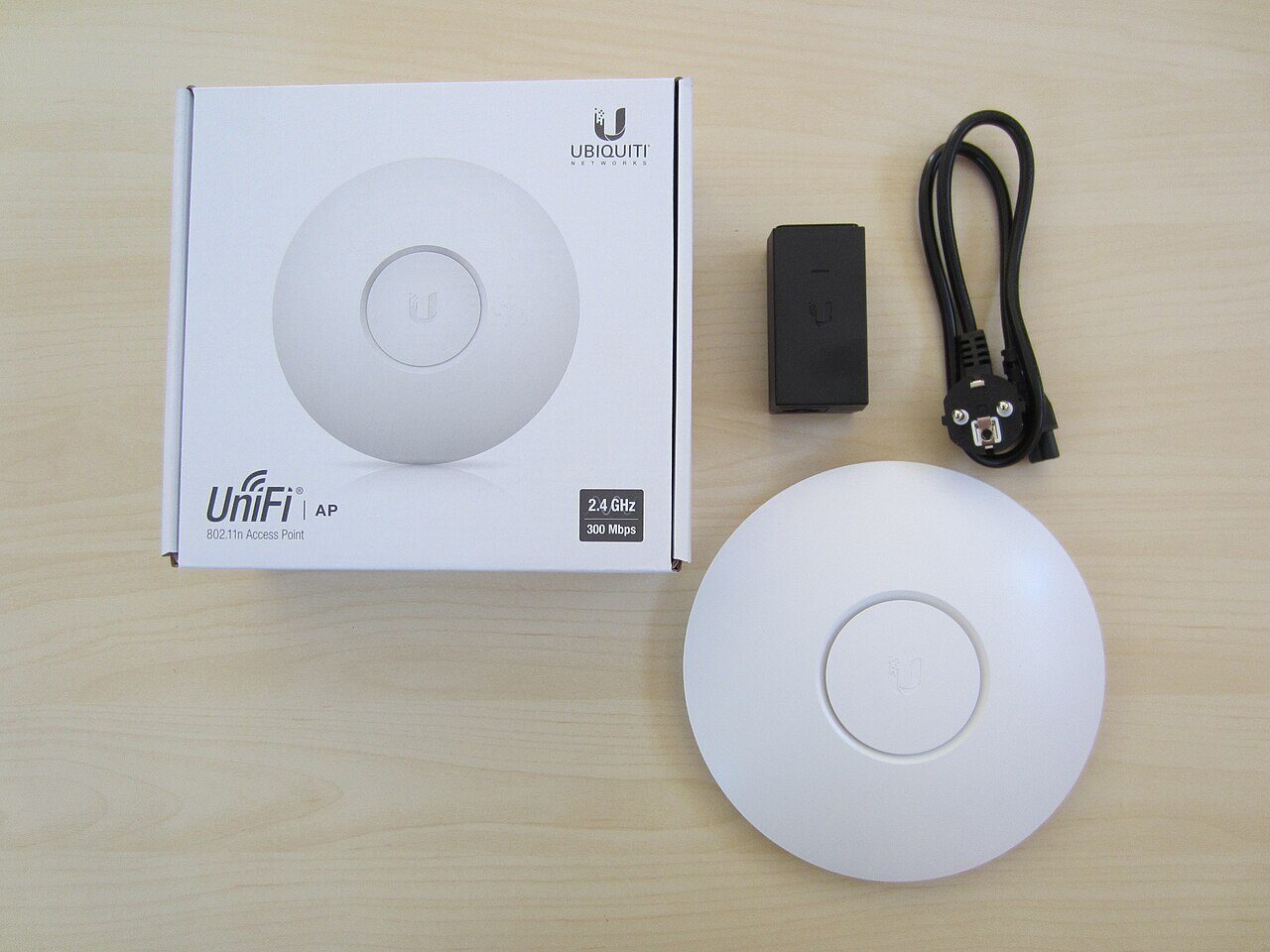

The three access points
| Model | SoC | Flash / RAM | Band(s) |
|---|---|---|---|
| UAP (BZ2) | Atheros AR7241 | 8 MB / 60 MB | 2.4 GHz |
| UAP-Pro (U7P) | Atheros AR9344 | 16 MB / 125 MB | 2.4 + 5 GHz |
| UAP-Outdoor+ (U2HSR) | Atheros AR7241 | 16 MB / 60 MB | 2.4 GHz |
All three are supported ath79 targets in OpenWrt. Without that, this would have been a reverse-engineering project instead of a weekend one.
Why you cannot just flash them
Every guide says to put the OpenWrt factory image onto the AP with TFTP recovery or Ubiquiti's own fwupdate.real. On these APs, at this firmware, both refuse it, for two reasons:
- Stock firmware from 4.0.15 onwards dropped the
rootfspartition. The layout is just u-boot, its environment, a singlekernel(orjffs2) partition, config and the radio EEPROM, and the tools expect a partition that is not there. - U-boot checks the RSA signature trailer (
ENDS) that Ubiquiti appends to its own images. OpenWrt's image does not have it, so TFTP recovery andfwupdatereject it as not a valid UBNT image.
What does work is writing the OpenWrt sysupgrade image straight into the kernel partition with OpenWrt's own mtd tool, because the stock busybox mtd is too old. I copied the sysupgrade image and a statically-usable mtd binary onto the AP (the binary is pulled out of the built OpenWrt rootfs and run through its musl loader), then:
mtd -e kernel write /tmp/openwrt.bin kernel     # BZ2
mtd -e jffs2  write /tmp/openwrt.bin jffs2      # Pro and Outdoor+
The stock u-boot still runs ubntappinit; ubntboot, and that quite happily boots the OpenWrt uImage that now sits where the kernel used to be. If it had not, the recovery is a TFTP of the stock image with reset held at power-on (the AP listens at 192.168.1.20). I had a 3.3 V USB-serial adapter on the bench the whole time and never needed it.
Building the image
I did not want to take the generic download and configure each AP by hand, so I built an image per model with OpenWrt's ImageBuilder (the official ath79-generic-25.12.5 container). A freshly flashed AP comes up already configured and already talking to OpenWISP.
These are dumb access points, so most of OpenWrt comes out:
-dnsmasq -firewall4 -nftables -odhcpd -ppp ...
+wpad-mbedtls +usteer +iwinfo +openwisp-config +openwisp-monitoring
usteer is the interesting addition. It does 802.11k/v steering, so a client walking through the house gets nudged to the nearest AP instead of clinging to the first one it saw. It needs the full wpad-mbedtls, not the -basic build, because only the full one has the 802.11v (WNM) code compiled in. Miss that and you lose an afternoon.
The config is baked in as a first-boot uci-defaults script: hostname, radio channel, the Fritzi SSID and its key, 802.11k/v on, the SSH keys and a root-password fallback. The script is generated per AP from that AP's own captured settings, so the WiFi password never gets typed anywhere.
The flash itself, and what it taught me
Three things that are obvious in hindsight:
- A backgrounded
mtd writedies the instant the SSH session closes. The first run looked like it worked and had done nothing: the kernel partition was untouched, with its magic bytes intact. Wrapping the write as( trap "" HUP; mtd … ) & waitso it ignoresHUPfixed it. Verify with a read-back of exactly the image's length, not a rounded block count, or you get a false mismatch and a needless scare. - The Outdoor+ comes back on a different MAC. OpenWrt bridges both Ethernet ports and takes the second port's address, so the AP that was
80:…:d2:20on the network is now82:…:d2:20. I spent a few minutes convinced it had not booted before I looked for the right neighbour. - Check the image is for the board before you write it. When I derived the Pro's flash script from the BZ2's, it kept the BZ2 image path, and the dry run happily staged a UAP image onto the Pro. That would have bricked it. Both scripts now read the sysupgrade metadata and refuse to write unless it names the board they are pointed at.
The Outdoor+ also needed its transmit power capped to 10 dBm. Its antenna and amplifier add 10 to 11 dB and the EU limit on 2.4 GHz is 20 dBm, so OpenWrt's default would have put it well over.
What OpenWISP adds
OpenWrt on its own would mean SSHing into three APs one at a time. OpenWISP is the other half: a self-hosted controller, running in Docker on the house server, that manages them as a fleet.
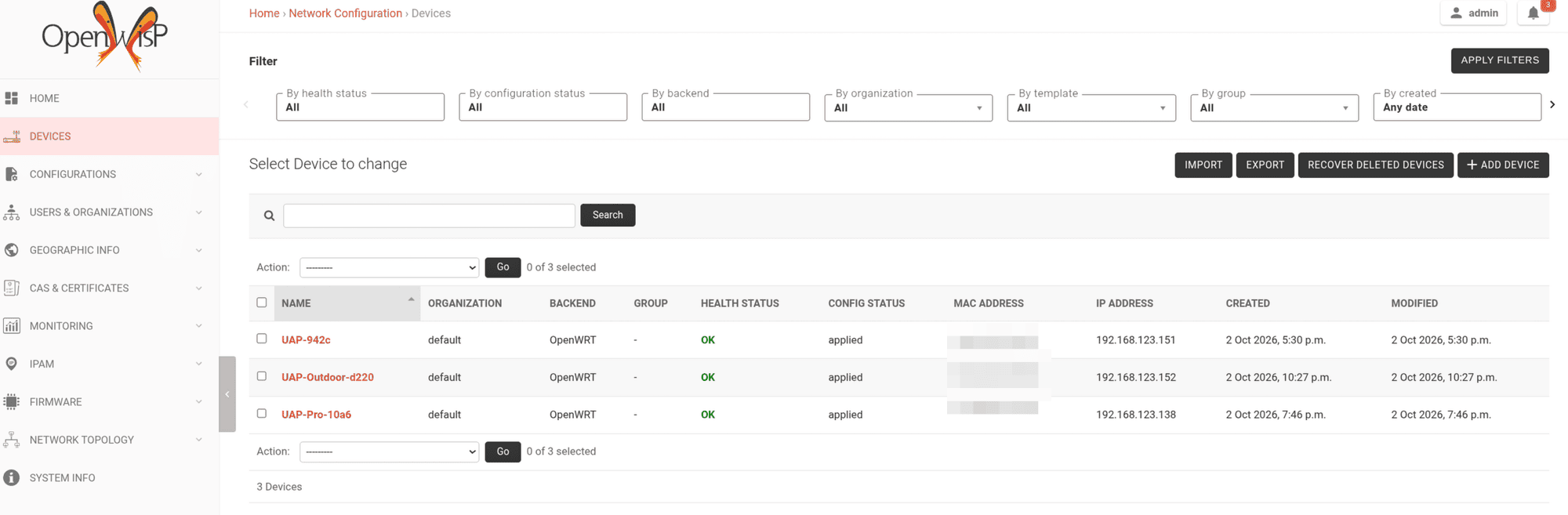
- It gives one dashboard for three different models. The old UniFi controller only ever spoke to UniFi hardware and was itself frozen at a 2021 release. OpenWISP does not care what the device is, only that it runs the agent.
- Each AP reports its associated WiFi clients, interface traffic, load, memory, disk, neighbours and uptime, with charts over time. This is the part you miss immediately when you leave a vendor controller.
- Config templates are written once and pushed to every AP.
merge_configkeeps each device's own bits, andtest_configapplies a change, checks the AP is still reachable, and rolls back automatically if a bad push would otherwise have locked you out. The agent polls every two minutes. - SSH keys are distributed by a template, and image upgrades run from the same dashboard instead of three manual
sysupgrades. - With
usteeron each AP, the APs coordinate roaming between themselves. Right after the flash, the UAP had already found the Pro as a steering peer on its own, so clients move between the three APs on one SSID.
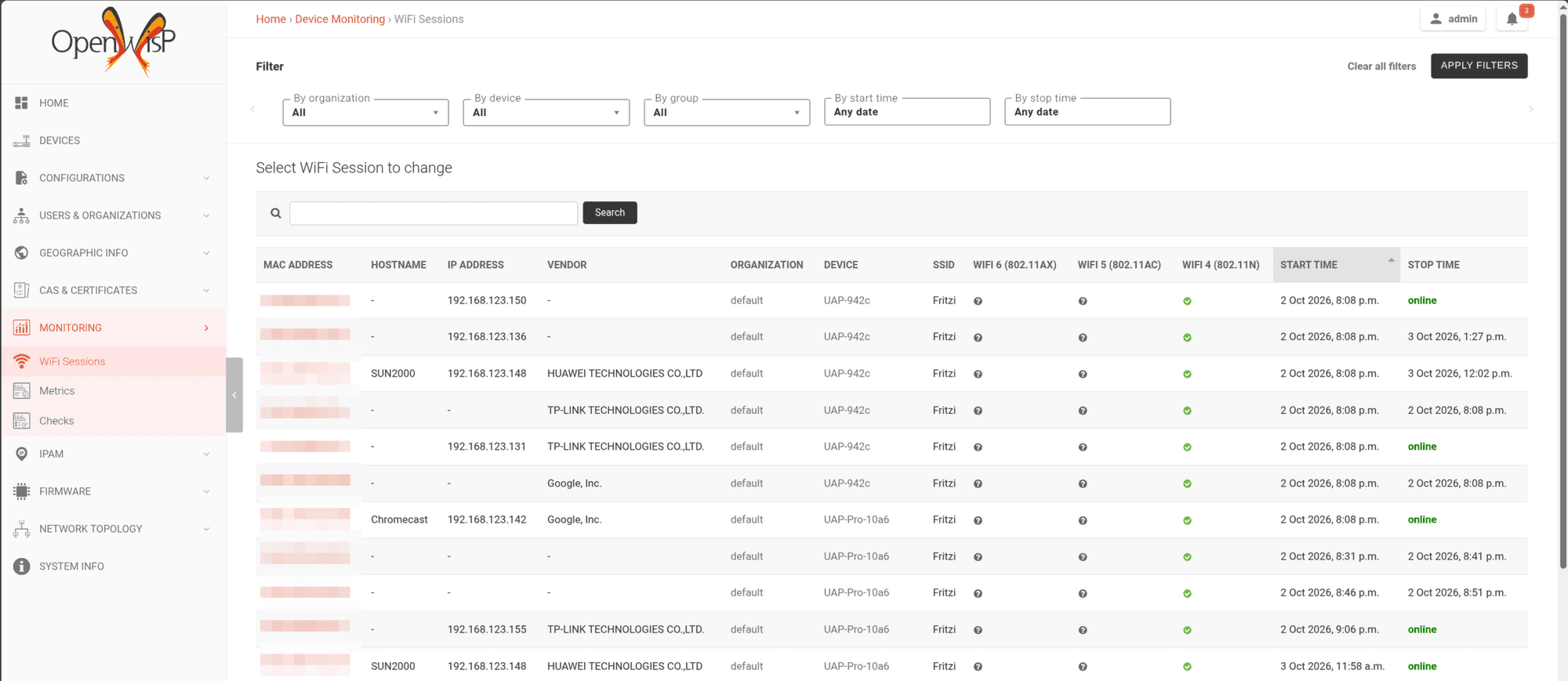
Because the whole stack is open source, I could fix a gap myself. OpenWISP's WiFi-session view listed clients only by MAC address, and the data to show a hostname and IP was not there. I added it with a small DHCP/ARP snooper on the APs and a couple of fields on the server, and pushed it as branches against the relevant upstream issue. With a sealed appliance I would have filed a request and waited.
What I would tell myself at the start
- First-gen UniFi APs are standard ath79 OpenWrt targets, but at stock 4.x you flash them with
mtd, not TFTP orfwupdate, because there is norootfspartition and u-boot checks Ubiquiti's signature. - Build per-model images with ImageBuilder so a flashed AP configures itself and joins the controller. Do not hand-configure three boxes.
usteerneeds the fullwpad-mbedtlsfor 802.11v, and the Outdoor+'s TX power needs capping for EU limits.- OpenWISP is the reason to do any of this. It gives central config with automatic rollback, real monitoring, fleet-wide roaming and firmware upgrades, self-hosted and without a licence, on hardware the vendor had already written off.